
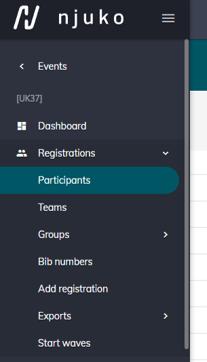
You can view a list of your event Participants by selecting Participants in the left hand side menu.
From here you can easily manage what information you see.
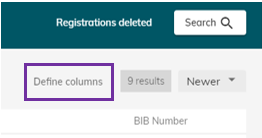
Click the ‘define columns’ button to choose what data is shown.
Click the circular button with plus sign on in the bottom right corner to add an additional column.
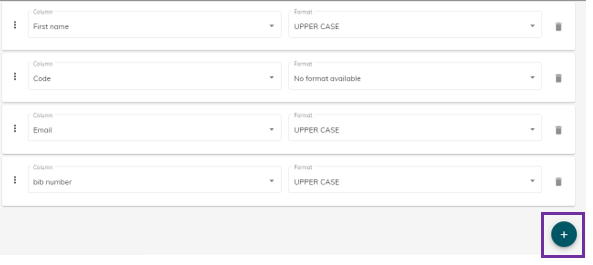
Select the column heading from the list and choose the format that you’d like the results shown in if applicable.
Click and drag your columns to change the order that they appear in.
Save the changes by clicking the save button in the top right-hand corner. When you return to your list of participants you will see your selected columns populated with data.
You can always return to the default column settings by clicking the ‘Default settings’ button in the top right corner.